
Capping Controller PCB Debug: Isolate Faults Before Pilot Builds
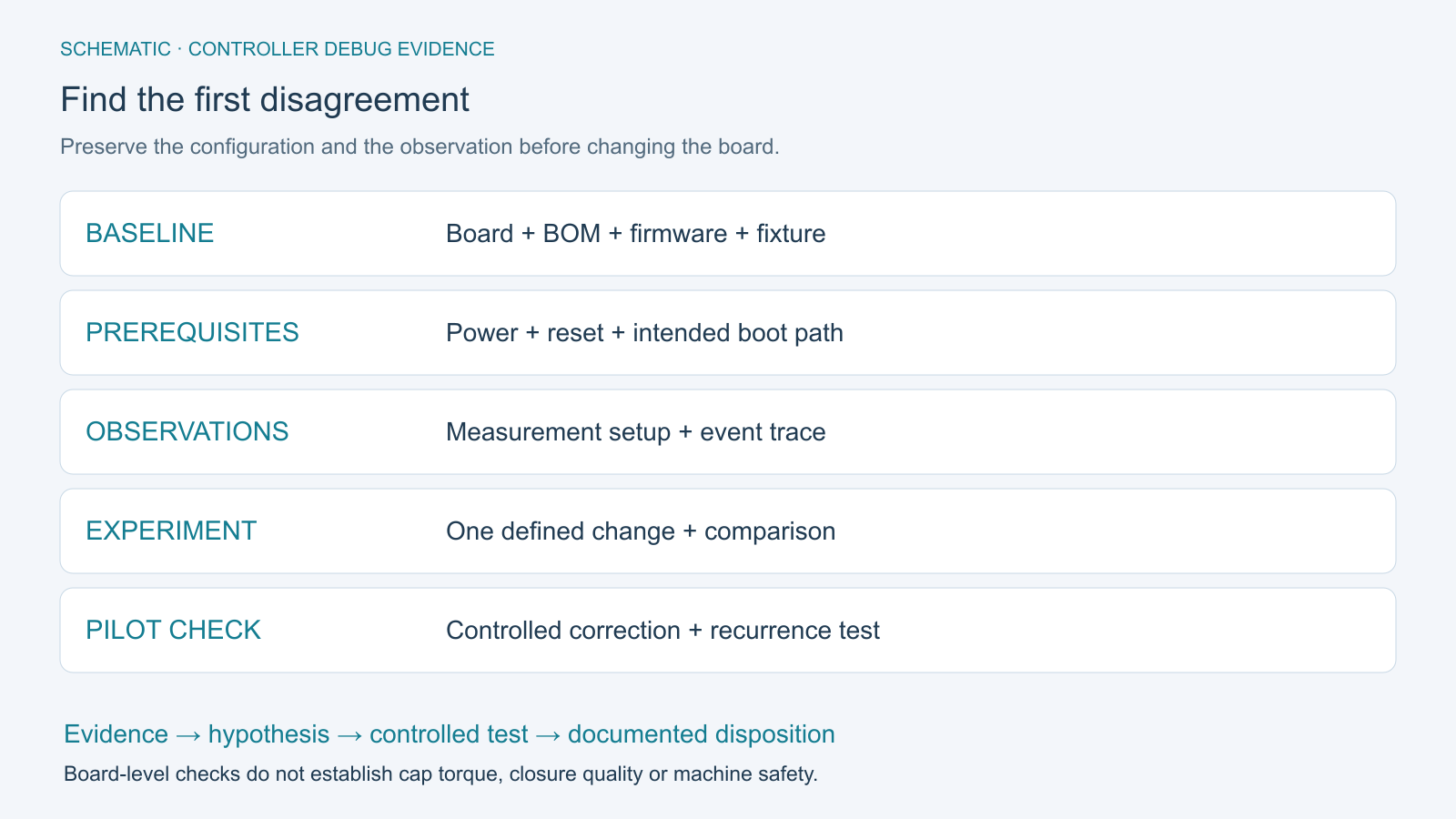
Table of Conent
Table of Conent
Capping controller PCB debug should identify the first failed electrical or software transition under a reproducible setup. Establish the board and firmware configuration, verify the specified power and reset behavior, separate debugger-assisted operation from standalone boot, and trace the machine event through the interfaces the board actually owns. Confirm that the measurement setup is not creating the symptom before changing the circuit.
A controller that misses a cap-present event may have an input, configuration, timing, supply, harness, or measurement problem. The symptom alone does not select the remedy. Before a pilot build, the useful deliverable is a repeatable failure record, a supported root-cause decision, a controlled correction, and a test that can detect recurrence. This guide addresses that investigation, with limits supplied by the OEM’s design.
Freeze a reproducible capping-controller test baseline
Record one known configuration before comparing results. A board revision without its firmware, parameter set, fixture, wiring, and operating state is an incomplete debug baseline.
Identify whether the PCB reads sensors, commands an external drive, contains a power stage, or communicates with a separate PLC. Use the schematic and interface specification to assign each function. Do not infer that motor commutation, torque measurement, or a safety function belongs to the board merely because the completed machine has it.
Prepare a unit-level log containing board and BOM revision, serial or lot identity, programmed image, parameters, fixture revision, connected loads, supply conditions, and the exact event that triggers the failure. Link firmware-dependent options to the PCB assembly variant-control guide. Preserve the failing configuration before making an approved experiment.
Keep first investigations within the approved bench boundary, using defined stimuli and representative loads. Machine actuation and energized power stages require the equipment owner’s procedure and appropriate personnel. A controller debug session does not authorize bypassing guards or interlocks.
Check power and reset before assigning a firmware fault
Establish the specified supply and reset conditions at the relevant devices. A nominal reading at the board’s input connector cannot establish every local rail or a valid startup sequence.
Begin with the released assembly data and unpowered inspection. Confirm part identity, polarity, connector pinout, and the intended supply connections. Use the design’s limits and an approved power-up plan; a generic percentage above an estimated current budget is not a reliable fault threshold. Stop the sequence when a prerequisite fails rather than continuing to add loads.
| Observation to establish | Record against the released design | Next decision |
|---|---|---|
| Power at the relevant device | Rail, reference, operating state, instrument setup, and measured behavior. | Investigate the power path if the requirement is not met. |
| Reset assertion and release | Reset source, timing relationship, and affected devices or domains. | Resolve a repeated or incomplete reset before interpreting application logs. |
| Required clock and boot configuration | Selected source, straps or configuration, and device-specific requirements. | Confirm the processor can enter the intended boot path. |
| Behavior when an approved load changes | Common trigger for rail, reset, command, and relevant feedback observations. | Locate the earliest changed observation; do not infer its cause from correlation alone. |
Distinguish reset types. TI’s CCS and XDS reset guidance explains that a CPU reset can leave peripherals, external devices, and memory state unaffected in the described implementations. A system reset or power cycle can therefore produce a different starting condition. Determine the exact behavior for the installed processor and tools instead of treating every Reset button as equivalent.
Separate debugger access from standalone boot
Prove the debug connection and the released startup path as separate tests. Connecting a probe successfully does not establish that the shipped firmware boots correctly without it.
For a J-Link-based setup, SEGGER’s target-connection troubleshooting guidance identifies target reference voltage, interface selection, signal connections, and target configuration as relevant checks. A suitable evaluation board can help establish whether the host and probe path works before investigating custom hardware. Apply these checks to the actual supported tool and device.
Record what the debug session does: reset type, program loading, initialization scripts, execution state, and any changed parameters. Then use the approved procedure to compare the same programmed image in standalone operation. If behavior differs, examine the boot source, retained state, configuration, and tool initialization before replacing a component. Avoid erasing calibration or security-related data merely to make a connection succeed.
When the build and programming assumptions cannot be reconciled, share the board files, firmware identity, and failing startup record with the proposed quantity and test boundary. OrinewPCB can review the manufacturing, programming, and requested board-test scope and identify information needed from the design owner.
Verify the measurement before diagnosing the waveform
Validate the probe, reference connection, and acquisition settings before treating a waveform anomaly as a board defect. The instrument is electrically connected to the circuit it observes.
Tektronix’s probe-loading explanation shows how probe resistance and capacitance can change the measured node and, in some cases, circuit operation. High DC input resistance alone does not establish low loading for a fast edge or sensitive node.
The Tektronix probing primer also explains that a ground lead adds inductance and can introduce ringing. For an applicable low-voltage measurement, compare an approved connection with a shorter, suitable reference path while holding the board condition constant. A changed waveform is evidence to investigate the measurement chain; it does not automatically clear the design.
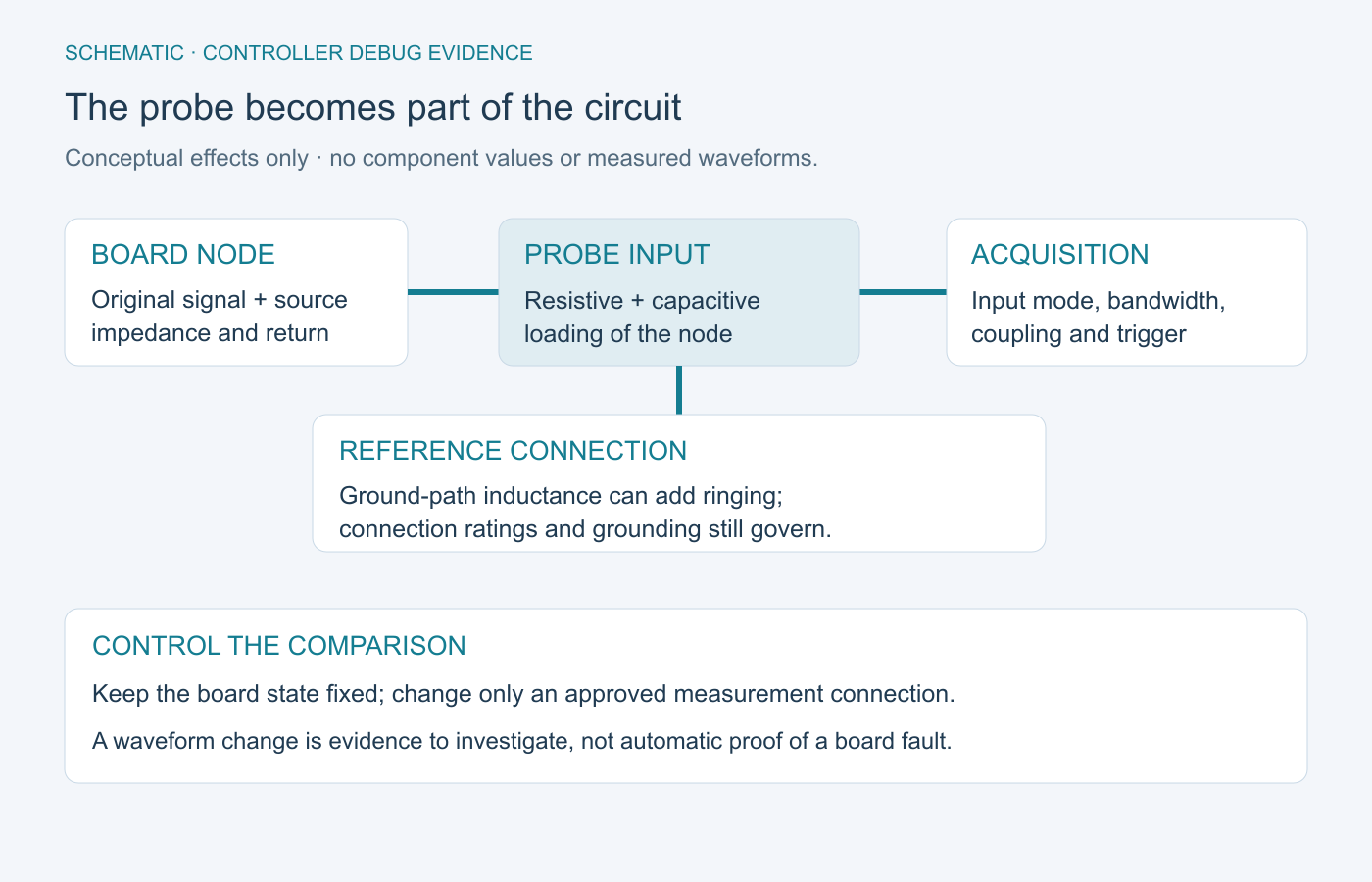
Record probe type and attenuation, input configuration, bandwidth limit, coupling, reference point, trigger, and relevant time scale. Select equipment within its voltage, common-mode, frequency, and other applicable ratings. Preserve protective grounding; an earth-referenced probe connection is not suitable for an arbitrary floating power node.
Trace one capping event across the board interfaces
Trace the earliest disagreement between stimulus and response. A synchronized event record is more useful than unrelated screenshots taken at different machine states.
Build the trace from the actual I/O specification. The following chain is a conditional example for a controller that receives a presence input and issues a capping command. A machine with external sequencing or different feedback needs a different chain and acceptance limits.
| Event | Evidence to align | What the comparison can narrow |
|---|---|---|
| Specified presence stimulus | Fixture stimulus and the signal at the board connector. | A missing connector-level input points to the stimulus, wiring, or preceding path. |
| Input recognized by firmware | Connector transition and the corresponding logged state or approved diagnostic observation. | A mismatch requires review of input conditioning, configuration, and software interpretation. |
| Command issued | Expected sequence state and the actual board output under the defined test load. | Separate command generation from the electrical output path. |
| Feedback or timeout | Returned interface signal, elapsed event timing, and the released response rule. | Distinguish missing feedback from an incorrect timing or interpretation assumption. |
Use a common trigger or a validated time relationship between electrical captures and software logs. Account for logging delay and instrumentation effects before claiming an ordering. If a reset occurs, preserve the rail and reset observations around that same event. Do not replace a sensor, add debounce, or alter shield bonding solely because one symptom resembles a familiar failure.
Choose accessible observation points during design. The PCB test-point design guide supports planning the signal and reference access needed for repeatable measurements. A fixture stimulus can test a defined board interface; cap torque, seating quality, and coordinated machine behavior still require system-level evaluation.
Use controlled experiments to locate the fault boundary
Change one defined factor at a time and state what result would support or weaken the hypothesis. Replacing several parts and a firmware image together removes the evidence needed to attribute improvement.
Compare a suspect harness with a verified harness, a fixture input with the specified connector-level stimulus, or debugger-assisted startup with standalone startup only when the comparison is compatible and authorized. Keep the other conditions unchanged and retain both results. A known-good board is useful only when its configuration and relevant behavior are understood.
As a hypothetical example, a presence input is correct at the connector but absent from the application log. First confirm that the log observes the intended firmware variable and build. If changing only the logging configuration reveals the event while the electrical trace remains unchanged, that experiment narrows an observation problem. It does not by itself validate the complete input circuit or the machine cycle.
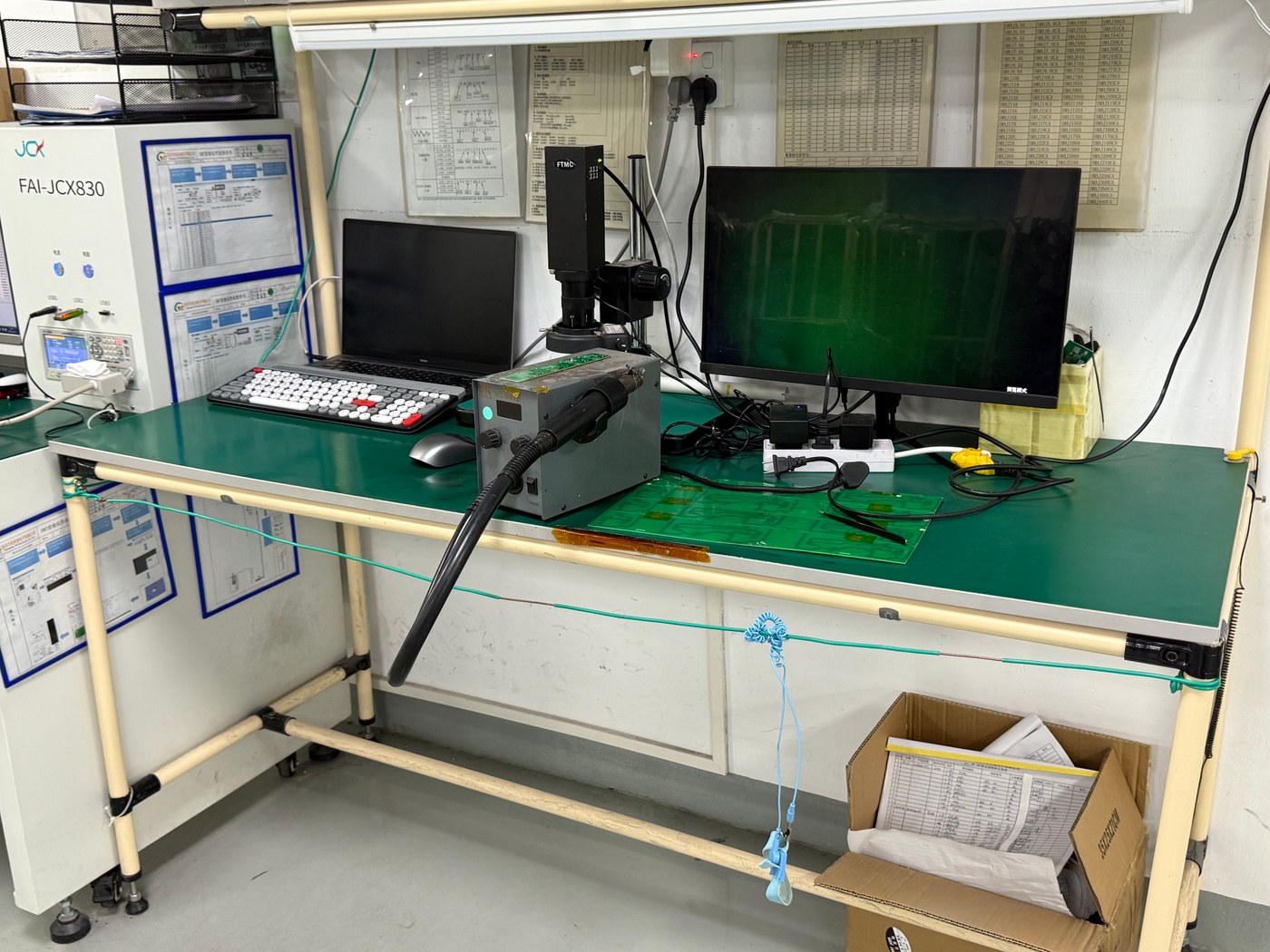
Classify the eventual disposition: assembly correction, design change, firmware correction, fixture correction, installation change, or unresolved. Preserve the evidence before rework and record the approved change afterward. Reproduce the original failure condition after the correction, then run the affected regression checks. One passing observation is not a reliability claim.
Turn debug findings into pilot-build acceptance checks
Close each issue with a controlled correction and a repeatable acceptance check. Manufacturing needs the stimulus, observation method, limits, configuration, and failure disposition rather than a note saying “debugged.”
Keep an issue record linking the original symptom, evidence, confirmed cause or remaining uncertainty, change approval, affected units, and verification result. Transfer relevant controls into programming instructions, fixture software, assembly drawings, and the released test procedure. The capping-machine assembly and test sequence guide addresses the subsequent process handoffs; this debug record supplies the evidence those gates need.
OrinewPCB’s video below outlines component, manufacturability, and pre-production risks that can remain after one prototype works. It is a general transition-to-batch overview, not a capping-machine demonstration or a rule that a particular batch size requires a particular test fixture.
Agree which checks belong to the purchased full-turnkey PCB assembly scope and which remain with the equipment owner. For a pilot review, provide the controlled build package and closed-issue test requirements, including fabrication data, BOM, placement files, firmware, quantities, and fixture responsibilities. The review can align sourcing, assembly, programming, and requested verification with one reproducible configuration.
Technical sources accessed October 21, 2026. Apply the current documentation for the exact processor, debug tool, instruments, and machine interfaces; no universal electrical limits or machine-safety approval are implied.
Latest Blog
Contact Info
Phone: +86-755-82882936
Email: [email protected]
WhatsApp: +86-13570802455
Wechat: +86-13570802455
Address: 2nd floor,D Bldg.,Electric Link Technology Bldg.,Gongming,Guangming New Dist.,518106 Shenzhen, China