
KiCad PCB Workflow: From Schematic to Fabrication and Assembly Files
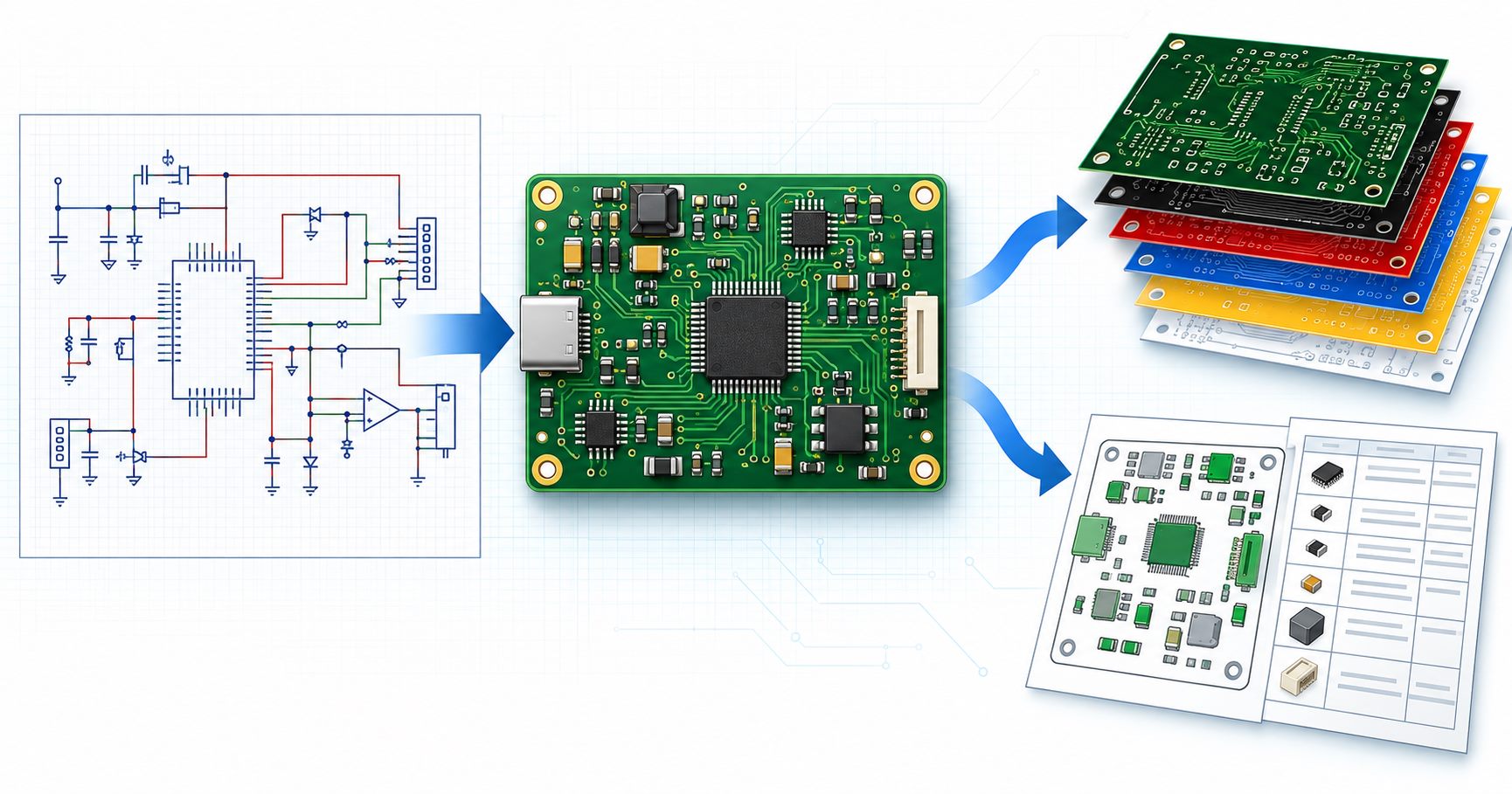
Table of Conent
Table of Conent
A KiCad PCB project is ready for a manufacturer only when the design and the exported files describe the same board revision. For bare-board fabrication, release checked copper, mask, silkscreen, outline, and drill data with the required fabrication notes. For PCB assembly, add a controlled bill of materials (BOM), component placement data, assembly drawings, population rules, and any programming or test requirements. Run electrical rules check (ERC) and design rules check (DRC), inspect the plotted outputs, then compare designators, origins, units, sides, and revisions across the package.
This KiCad PCB workflow follows the practical path from schematic to a quote-ready fabrication and assembly handoff. The examples refer to the KiCad 10 documentation available in October 2026; menu labels and export options can differ in other versions. A passing software check is necessary, but it does not settle supplier-specific stackup, component sourcing, placement conventions, or test scope.
What files does a KiCad project need for fabrication and assembly?
The output list depends on what the supplier is being asked to build. A bare PCB needs physical layer and drill data. An assembled board additionally needs component identities, placement intent, and human-readable instructions that resolve exceptions. Confirm the receiving supplier’s accepted formats and required notes before locking the release.
| Build scope | Core outputs | Receiver check before release |
|---|---|---|
| Bare-board fabrication | Gerber layers or another agreed fabrication dataset; NC drill and route data; board outline; fabrication drawing and stackup or finish notes as applicable | Open the plotted package in a viewer; confirm layer names, outline, holes, revision, and any controlled material or impedance requirements. |
| PCB assembly | Approved fabrication package plus BOM, top/bottom component placement data, assembly drawings, population or DNP rules, and sourcing constraints | Match every fitted designator across schematic, BOM, position file, and drawing; verify units, coordinate origin, side, and orientation conventions with the assembler. |
| Programmed or tested PCBA | Assembly package plus firmware or programming instructions, test method, acceptance criteria, and any fixture or traceability requirements | Identify which tests and records are in the quoted scope; do not assume an unspecified test is included. |
KiCad’s PCB Editor documentation covers Gerber, drill, placement, IPC-2581, and ODB++ outputs. Those formats are options, not interchangeable promises: the manufacturing partner must confirm which dataset it can receive and which supporting instructions remain necessary. If a team automates repeated releases, a repeatable ERC, DRC, and file-release process can add a second layer of control; the manual checks below still define what a valid package must contain.
How do you move from the schematic to a manufacturable PCB?
Begin by making the schematic electrically coherent and assigning real footprints before layout. A symbol with a correct circuit function can still point to the wrong package or pin mapping. Confirm critical connectors, polarized parts, exposed pads, mechanical constraints, and manufacturer part numbers against the intended components rather than treating a footprint name as proof.
Run ERC in the Schematic Editor and disposition each remaining warning. An intentionally open pin or special power arrangement can be documented, but an unexplained conflict should not travel into layout. KiCad transfers the schematic to the PCB Editor directly; there is no routine need to export an intermediate netlist just to update the board. After the update, compare the imported footprints and reference designators with the approved schematic and BOM. The KiCad Schematic Editor manual provides the current ERC and BOM workflow details.
Set the board’s physical stackup, copper layers, track and clearance rules, via rules, and edge outline against the intended manufacturer’s capabilities. These values depend on the board technology and supplier; copying a default template cannot establish manufacturability. Place mounting holes and connectors against the mechanical interface, then route with the controlled rules in place. After copper zones are refilled, run DRC and inspect errors in context. A clearance flag may require a layout change, while a documented exception needs an engineering reason and acceptance by the receiving manufacturer.
What should you verify before exporting Gerber and drill files?
Exporting is a release step, not a substitute for design review. Check the board outline for a continuous, unambiguous profile; verify copper, solder mask, silkscreen, and paste layers against the intended build; and confirm drill files include the required plated and non-plated features. Review the stackup, finished thickness, surface finish, controlled impedance, and tolerances in the fabrication notes whenever they affect the quote or process.
In KiCad 10, Gerbers are generated through File → Fabrication Outputs → Gerbers, while drill files are generated separately. The plot dialog can produce a Gerber job file and use a configurable drill/place origin. Drill and component placement exports also have origin settings. Record which origin, units, and layer naming convention you used, then keep them consistent or explain any deliberate difference. KiCad’s documented origin options make this a verifiable release check rather than a guess based on the image appearing centered in a viewer. For layer attributes and compatibility limits, see the related Gerber X2 release checks.

Paste data matters when surface-mount assembly is in scope. The front and back paste layers guide stencil planning, but aperture reductions or special printing requirements may need a separate stencil review. Open the finished Gerbers and drill files in a viewer, not just the native PCB layout. Look for a missing mask opening, clipped legend, unexpected copper pour, reversed layer, omitted drill, or a board outline that does not match the mechanical drawing. If the plotted files and assembly inputs are ready for a coordinated check, share the fabrication files and assembly inputs for review with the intended build quantity and any stackup or stencil constraints. Engineering can then identify missing information before the fabrication and assembly scope is priced.
How do you prepare the BOM, placement file, and assembly drawing?
The BOM states which parts should be fitted; the placement file states where and how machine-placeable footprints appear; the assembly drawing communicates the intended build to a person. None replaces the others. Export the BOM from the controlled schematic configuration, with reference designators, quantities, manufacturer part numbers, approved alternates, and explicit do-not-populate (DNP) or variant treatment. A value such as “10 kΩ” is not a complete purchasing identity when package, tolerance, voltage rating, or approval status matter.
Generate component placement data from the released board. KiCad’s position-file controls can exclude individual footprints and, depending on the selected options, DNP parts. Inspect what was actually exported: a valid CSV can still omit a required part. Confirm each fitted designator, board side, X/Y location, units, and rotation. The chosen drill/place origin must be documented so that the assembler can interpret coordinates without shifting the entire population. Check polarized and asymmetric parts in a rendered top and bottom assembly view; a syntactically valid rotation does not prove the package is oriented correctly.
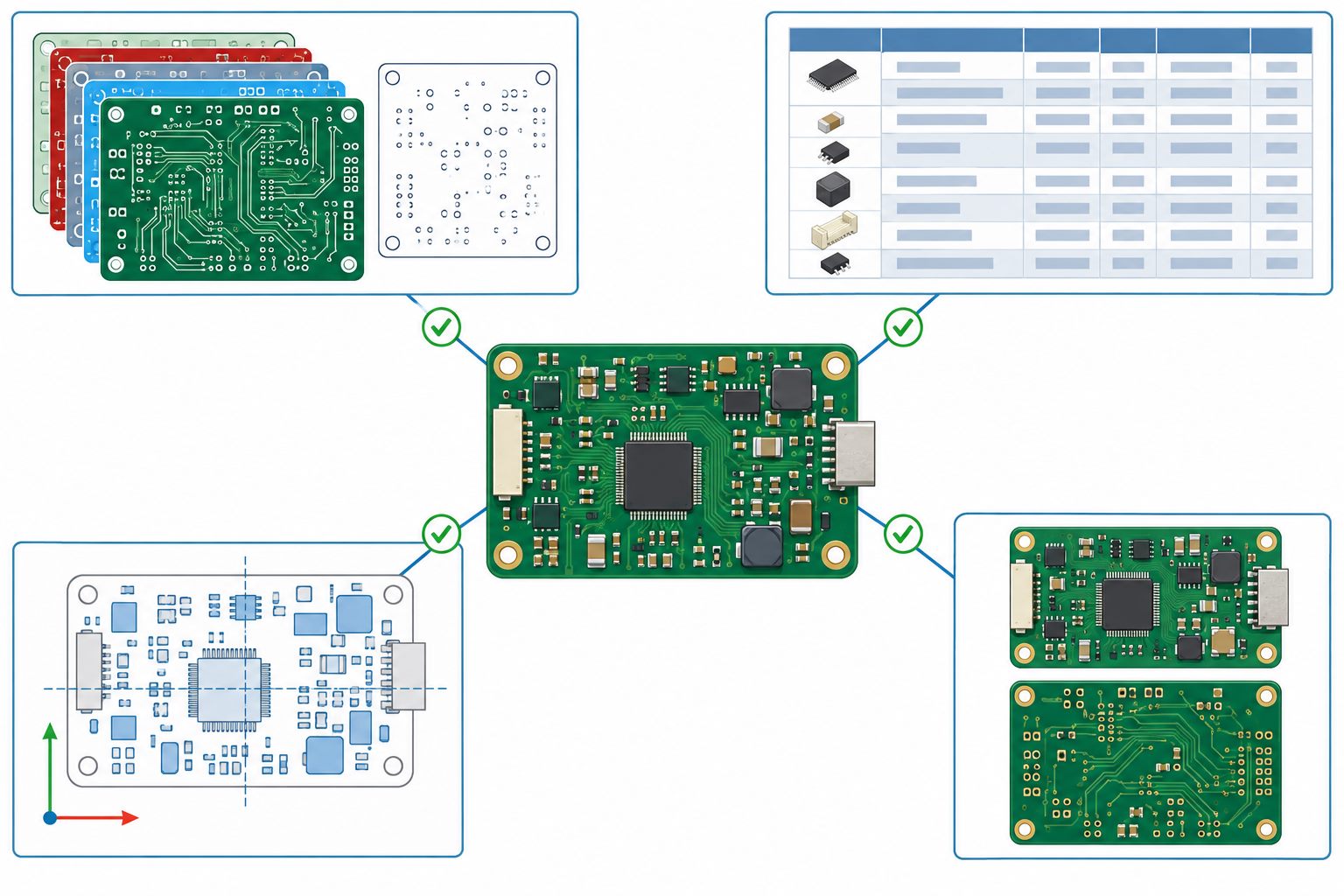
Provide top and bottom assembly drawings with clear reference designators, pin-1 and polarity indicators, board revision, and special assembly notes. If the product has several build options, release the BOM, position file, and drawing for the same variant. The separate assembly drawing checklist covers detailed drawing errors; here the governing rule is simple: every file must describe the same population and orientation.
Which cross-file mismatches should stop a KiCad release?
A complete folder is not necessarily a consistent manufacturing package. Stop and reconcile any mismatch that changes the physical board, fitted components, or work instructions. The table below turns common discrepancies into a release decision rather than a late supplier question.
| Mismatch found | Likely manufacturing or purchasing effect | Release action |
|---|---|---|
| Gerber outline, drill map, and mechanical drawing disagree | Fabricated profile or hole positions may not fit the enclosure or fixture. | Reconcile the native board and drawing; re-export together under one revision. |
| BOM lists a fitted designator missing from the placement file | Quote or placement programming can omit a component, or the part may require manual placement. | Check footprint export flags and assembly method; document intentional exceptions. |
| DNP/variant status differs between BOM, position file, and drawing | Wrong product option or surplus parts can be built or procured. | Freeze the intended variant and regenerate every dependent output. |
| Origin, side, units, or rotation convention is unclear | Parts may be shifted, mirrored, or rotated despite valid coordinates. | Inspect both board sides in a placement viewer and agree conventions with the assembler. |
| File names or title blocks show different revisions | The supplier may combine data from different design states. | Stop transmission, archive the old package, and issue one controlled release with a manifest. |
Apply the checks to the exported artifacts, not only to the KiCad project. A manufacturing review cannot infer which conflicting file is authoritative. Where exceptions are intentional, name them in the release manifest and obtain the receiving supplier’s agreement before production.
How do you hand off one controlled package for a PCB assembly quote?
Freeze a design revision, export into a clean directory, and review that directory as a supplier would receive it. Keep a short manifest with the project and revision, KiCad version, build variant, fabrication dataset, drill files, BOM, placement files, drawings, quantity, approved substitutions, and any programming or test requirements. Open the package after archiving it to catch missing paths or stale outputs. Preserve the approved source project separately so later engineering changes do not silently replace the quoted release.
The official OrinewPCB video below summarizes the categories of information that support a PCB or PCBA quote. It complements the KiCad-specific checks here; it is a quotation handoff guide, not a KiCad export demonstration.
A single supplier review is most effective when fabrication, component sourcing, assembly, and test requirements refer to the same controlled files. The one-stop PCB assembly scope explains the service path, while the actual quote still depends on the released data and agreed build assumptions. If the package is ready to move into procurement or prototype planning, send one controlled KiCad build package for engineering review with the BOM, placement data, drawings, target quantity, and relevant test requirements. The next step is to confirm manufacturability, sourcing and assembly assumptions, and the quotation scope against that revision.
What is the final release decision?
Release only when the native design passes dispositioned ERC and DRC, the plotted fabrication files match the intended board, and the BOM, placement data, and drawings agree on the fitted variant. A manufacturer can then review a defined PCB or PCBA request rather than reconstructing design intent from unrelated attachments. If a required file, convention, or acceptance criterion is still ambiguous, record the open item and resolve it before treating the package as production-ready.
Latest Blog







Contact Info
Phone: +86-755-82882936
Email: [email protected]
WhatsApp: +86-13570802455
Wechat: +86-13570802455
Address: 2nd floor,D Bldg.,Electric Link Technology Bldg.,Gongming,Guangming New Dist.,518106 Shenzhen, China