
Fusion 360 Electronics PCB: Check 3D Fit and Release Manufacturing Files
Table of Conent
Table of Conent
Fusion 360 Electronics can connect a schematic, a 2D PCB layout, and a 3D board model, but a board that fits on screen is not automatically ready for fabrication or assembly. The useful handoff is a controlled release: agree on enclosure constraints, synchronize the 2D and 3D board, check mechanical access and electrical design rules, then export and inspect the actual manufacturing package. The applicable checks depend on the enclosure, components, board stackup, and assembler’s requirements.
Autodesk now calls the product Fusion in its current documentation. Its Electronics design document manages the schematic, 2D PCB, and 3D PCB; its manufacturing tools generate files that a board supplier can review. The article below focuses on what an OEM should approve at each transition, rather than a screen-by-screen CAD tutorial.
Agree on the enclosure datum before routing the PCB
Start with the mechanical assembly’s controlled revision, board outline, mounting-hole centers, connector mating direction, permitted component height, and the clearance needed for cables, screws, heat sinks, and test access. A 3D PCB can help check interference with an enclosure, as Autodesk’s Electronics workflow describes. Its mechanical-to-electronics tutorial even begins from an enclosure sketch and projected mounting holes. This is a useful starting point, not a substitute for agreed tolerances and a physical first-article fit.
Name a datum and coordinate system shared by the mechanical drawing and PCB documents. A board can appear centered in a 3D view yet move relative to a keyed connector or standoff after an outline edit. If the enclosure is supplier-controlled, get the mating dimensions and revision before locking the PCB edge. Where only a concept model exists, mark the corresponding clearance as provisional and preserve room for a mechanical sample check.
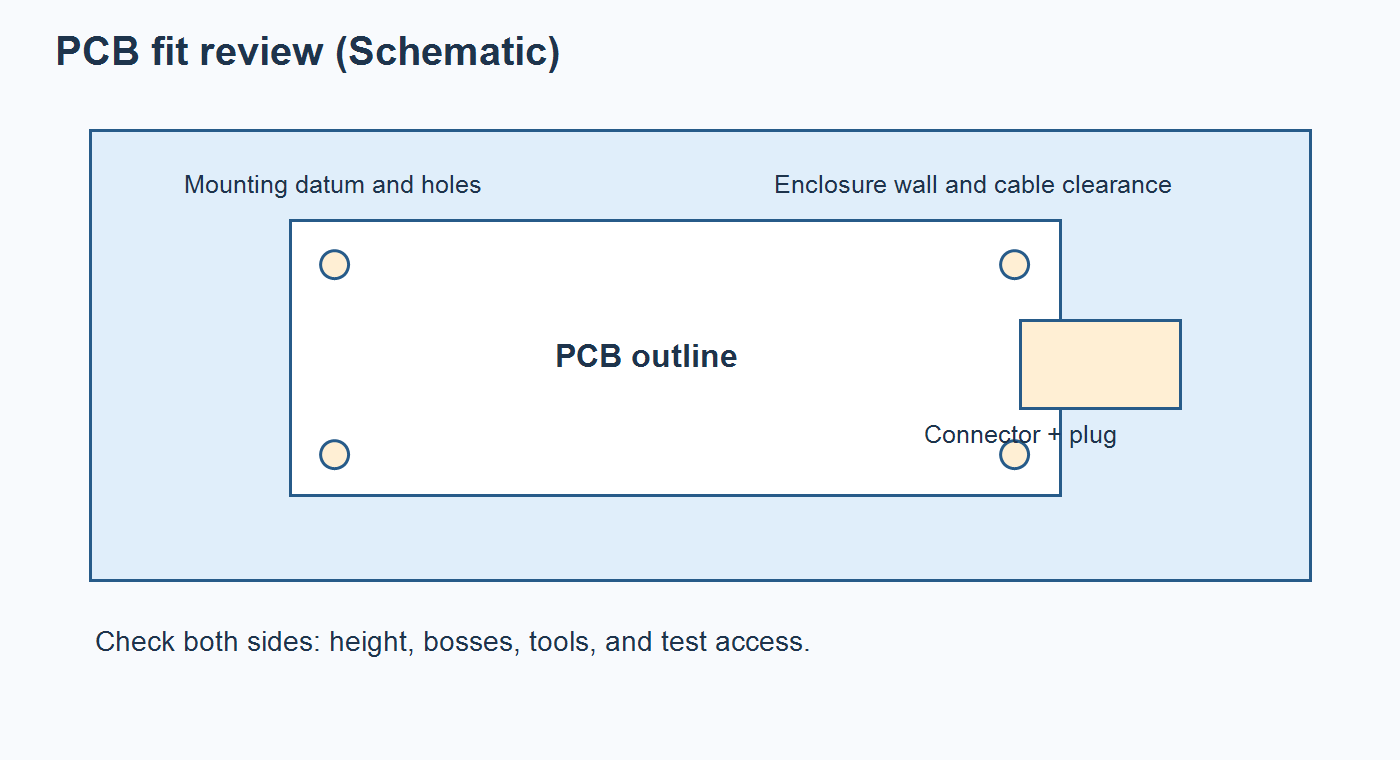
Check both sides of the board. Bottom-side components can collide with mounting bosses even when the top-side model looks clear. Connector bodies need room for the actual mating plug and cable bend, not just the bare housing. Test pads may need probe access after assembly. The related controller box-build acceptance guide shows why board, harness, enclosure, and final test must share one release boundary; it describes a different application, so its dimensions are not transferable.
Agree on the tolerance chain, too. A nominally centered mounting hole does not account for variation in the fabricated outline, hole location, enclosure boss, fastener, and connector position. The mechanical owner should allocate clearances against the actual drawings and verify a representative assembled unit where interference matters. Record whether washers, spacers, or thermal pads are required, since those items can change board elevation and connector alignment. This prevents a CAD-only pass from becoming an unqualified promise of production fit.
Synchronize 2D and 3D changes before checking fit
Use the linked design documents to make mechanical changes visible to the electrical team, then verify that the 2D layout and 3D PCB refer to the same board revision. Autodesk documents a specific failure mode: a plated through-hole edited in a 3D PCB can remain out of date in the linked 2D board when Update 2D PCB is cleared. A visually corrected mechanical model alone therefore does not prove that the copper and drill outputs contain the change.
After an outline, mounting-hole, or connector move, review the associated footprint, pads, copper clearance, mask openings, and routes. Have the electrical owner resolve affected DRC results before the mechanical owner signs off the new 3D fit. Autodesk’s design-rule categories include board-outline, drill, copper-clearance, and component-exclusion checks; the rule set still needs to reflect the selected fabricator’s capability and the product’s actual constraints.
Use a short change-impact note for every late mechanical edit. List the changed feature, the linked 2D and 3D revision, affected copper or drill features, and the manufacturing files that must be regenerated. If a connector moves, also revisit its mating orientation, harness length, assembly access, and test fixture. A versioned note gives procurement a way to reject a mixture of old PCB files and new enclosure geometry without needing to interpret the CAD timeline.
If a component model is a simplified shape, flag the missing detail. A placeholder may be adequate for rough placement but cannot verify a latch, overmold, fastener head, or cable sweep that it does not represent. Ask for a real part drawing or sample where the missing geometry controls fit. Record who owns this uncertainty instead of calling the CAD interference result a pass.
If the mechanical and electrical teams are converging on a revised enclosure, share the controlled outline, assembly drawing, BOM, placement data, and open clearance questions for a manufacturability review. The manufacturing discussion can then identify which fit assumptions affect board fabrication, component sourcing, or assembly before a quotation is fixed.
Use a release matrix to separate model checks from build evidence
A practical Fusion Electronics release should identify the model or document that supports each decision, its owner, and the evidence that proves it. The matrix below is a planning tool for an OEM and supplier; it does not claim that Fusion performs every acceptance test automatically.
| Release question | CAD or document check | Evidence before approval | Hold condition |
|---|---|---|---|
| Will the board mount? | Outline, NPTH locations, thickness, datum, enclosure model | Revision-matched mechanical drawing and first-article fit plan | Uncontrolled standoff or hole dimensions |
| Can connectors be used? | 3D package, mating direction, cable and tool envelope | Connector drawing and accessible assembly view | Missing plug or bend geometry |
| Is the electrical layout ready? | 2D/3D synchronization, ERC/DRC, layer stack and routing | Resolved exception log and approved stackup | Unreviewed rule violation or stale 2D board |
| Can it be built and inspected? | Assembly side, polarity, reference designators, test access | Assembly drawing, BOM, CPL, test requirements | Placement or test instructions missing |
| Are fabrication outputs complete? | Gerber/ODB++ as supported, drill, outline, mask, notes | CAM preview and version-locked output archive | Layer mapping or drill ambiguity |
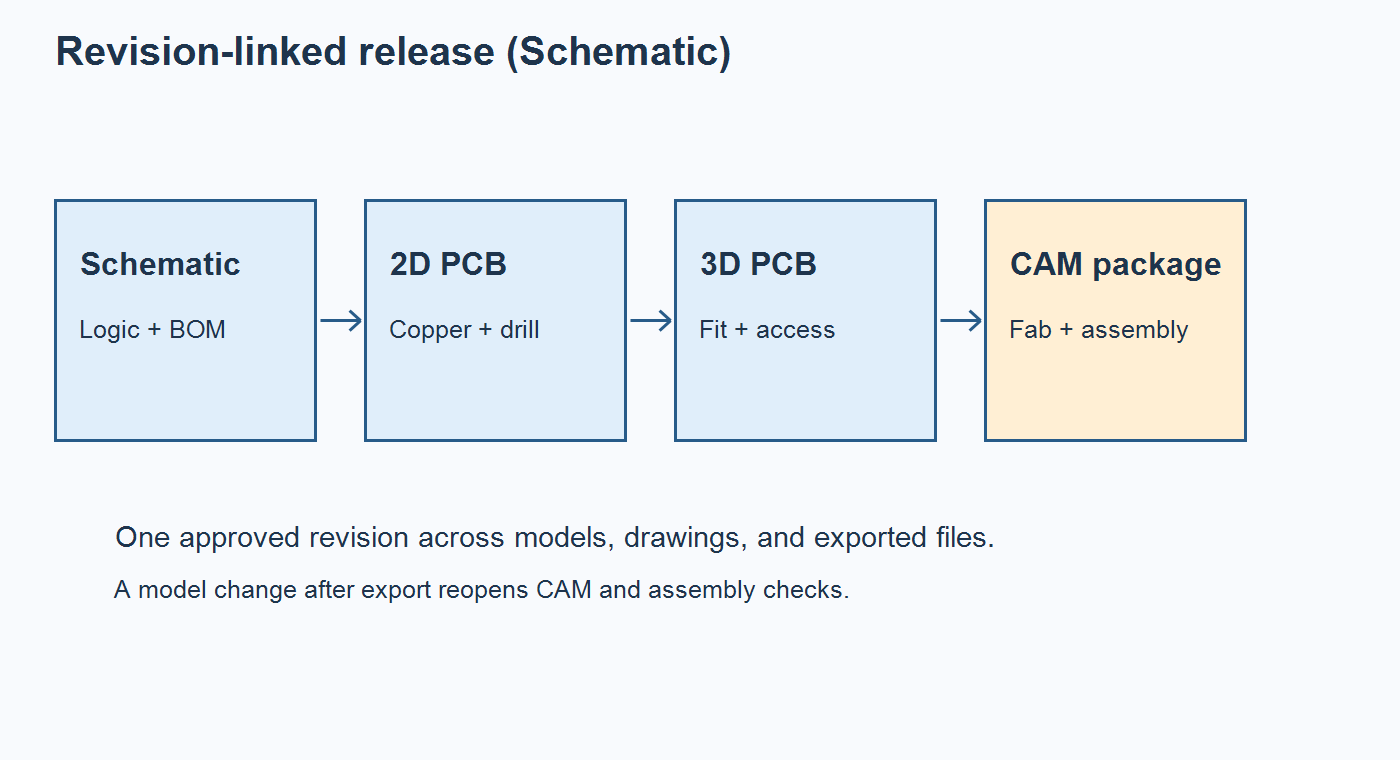
A manufacturer cannot infer an enclosure’s functional clearance from a Gerber file, and an enclosure model cannot communicate solder mask or drill plating intent. Keeping the evidence separate but revision-linked prevents a software view from being mistaken for an accepted production record.
Inspect the exported CAM files, not only the Fusion model
Autodesk’s manufacturing-data instructions call for design-rule checks, CAM Preview, and review of the generated manufacturing files. The CAM Processor can create assembly, drill, and Gerber outputs; exact options and file sets depend on the template and board. Confirm that the board outline, plated and nonplated holes, layer order, solder mask, paste, and fabrication notes match the approved design. A preview of the export catches errors that a convincing 3D rendering cannot expose.
For a board with unusual layers or a supplier-specific job, review the CAM job rather than assuming a default one-click export has mapped every layer correctly. Autodesk notes that its CAM Processor permits manual additions and deletions of output sections. Treat the exported archive as a release artifact: name the board and revision, record the job/template used, and keep obsolete archives out of the purchase package.
Give the supplier enough information to judge the parts of the design that are not fully defined by artwork: finished board thickness and tolerances, material and stackup requirements, surface finish, controlled features, applicable acceptance criteria, and panelization ownership. State whether the fabricator may propose a stackup or must build to an approved one. Where an enclosure depends on finished thickness or board edge quality, call out that requirement on the fabrication drawing and confirm it during first-article inspection.
The Gerber, ODB++, and IPC-2581 comparison helps choose an exchange format with the supplier. Regardless of format, pair fabrication data with an assembly drawing, approved BOM, placement/CPL file, programming instructions if relevant, and a clear test scope. The PCB assembly drawing checklist is useful for checking polarity, side, connector orientation, and special process notes that may be absent from raw placement data.
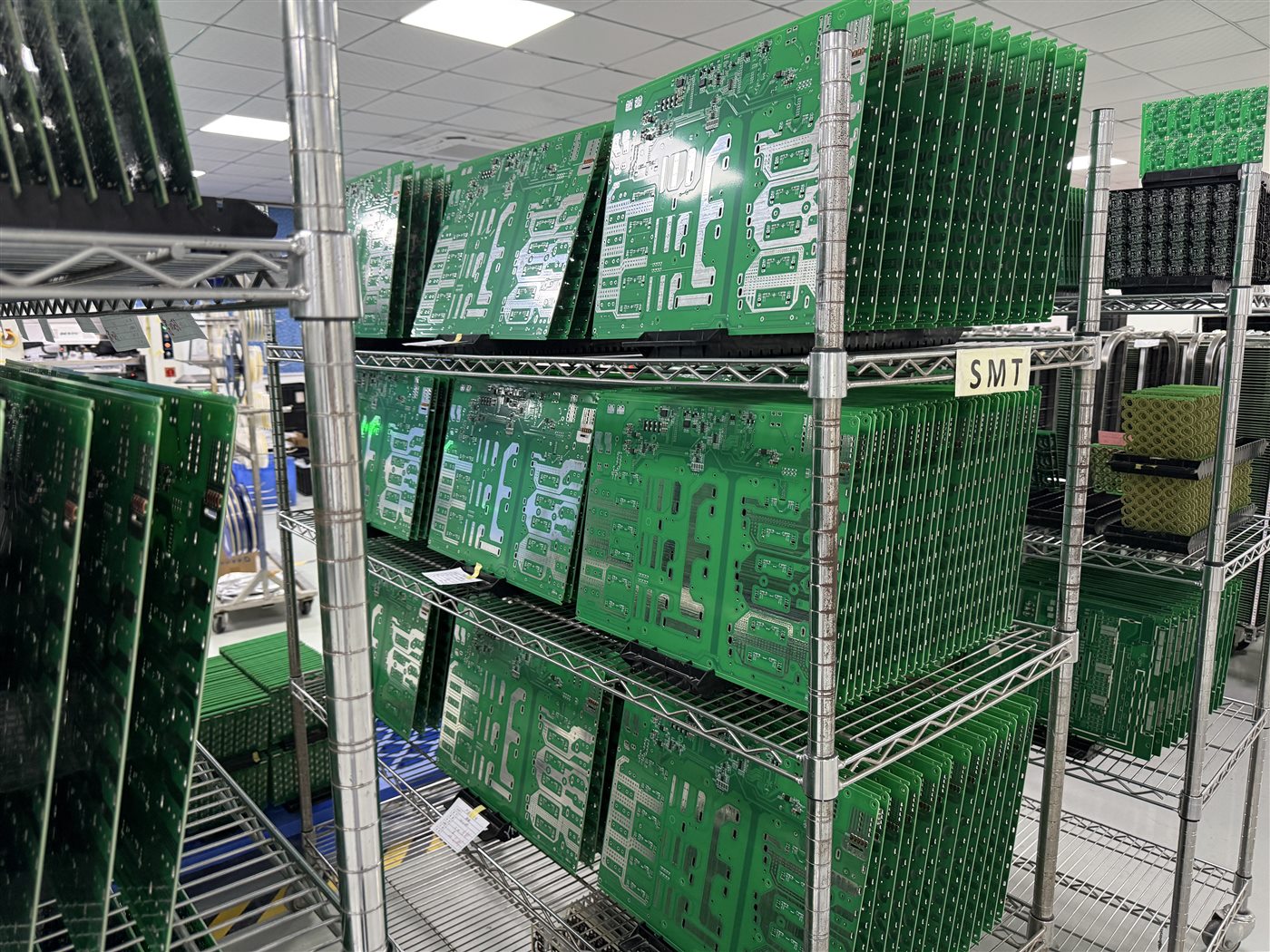
Ask the supplier to identify any mismatch between the fabrication archive, assembly documents, and ordered components before build. A file named final is not a revision control system. If a 3D-fit change arrives after CAM export, regenerate and recheck the affected outputs, then issue one superseding package with an explicit revision and change note.
Release the same revision for fabrication, assembly, and fit validation
A Fusion 360 Electronics handoff is complete when the OEM can point to one approved PCB revision, one matching mechanical constraint set, and one manufacturing archive with resolved exceptions. The 3D model reduces fit uncertainty where its geometry is accurate; CAM and assembly files still determine what the supplier builds. Physical first-article fit and functional tests close the remaining product-specific gaps.
For sourcing, distinguish bare-board DFM, component availability, assembly access, and enclosure integration in the quote. A supplier’s turnkey PCB assembly scope can coordinate fabrication, sourcing, and assembly, while fixture, box-build, and final-test requirements must be named for this project. If the release package is ready, provide the revision-matched fabrication files, BOM, placement data, and fit-test criteria for a complete build review; the resulting quotation can address the real assembly and acceptance scope.
Latest Blog
Contact Info
Phone: +86-755-82882936
Email: [email protected]
WhatsApp: +86-13570802455
Wechat: +86-13570802455
Address: 2nd floor,D Bldg.,Electric Link Technology Bldg.,Gongming,Guangming New Dist.,518106 Shenzhen, China